
The 24-hour window, templates and limits
Why a reply box locks, what Meta’s 24-hour rule means for each channel, the free 72-hour window for ad conversations, how the reply and conversation allowances of your plan are counted, and Meta’s 1,000 free service messages a month.
#Why can’t I reply here?
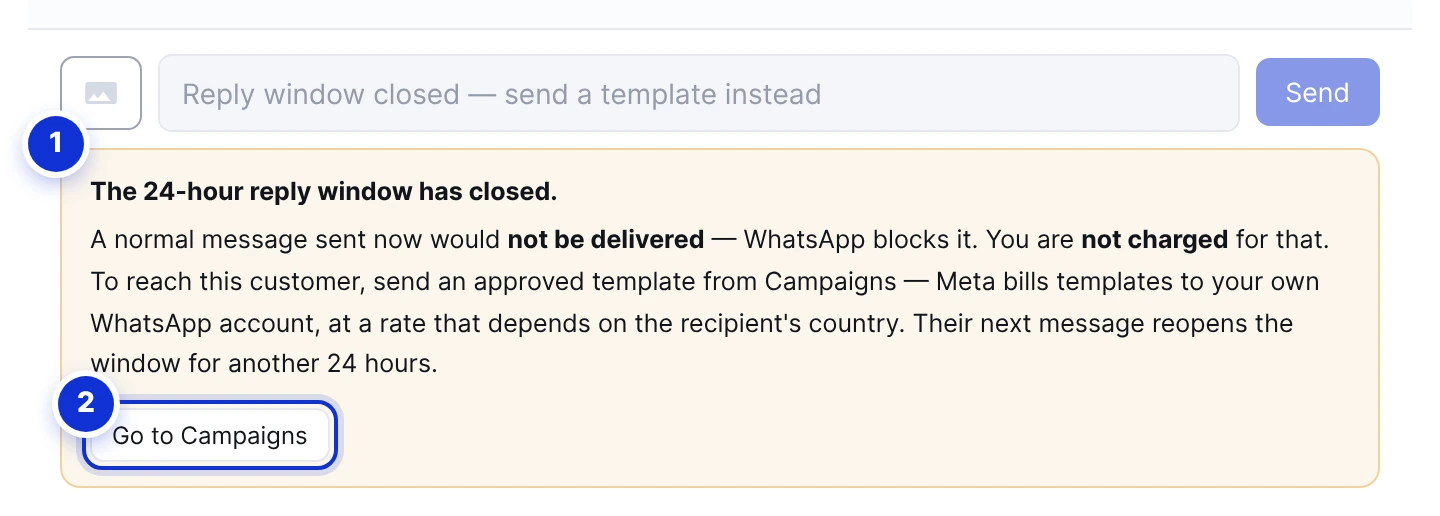
- 1The explanation and what to do.
- 2Go to Campaigns — where a template can be sent.
WhatsApp, Messenger and Instagram all apply the same rule: a business may send free-form messages only within 24 hours of the customer’s last message. After that, a normal message is rejected by Meta — it never reaches the customer, and nothing is charged for it. So the dashboard locks the box instead of letting you send into the void.
The header chip counts the time down while the window is open (*Reply window · 6h 20m left*). The moment the customer writes again, the window reopens for another 24 hours and the box unlocks on its own.
| Channel | After 24 hours |
|---|---|
| You can still reach the customer with an approved template from the Campaigns page. Meta bills the template to your WhatsApp Business account at a rate that depends on its category and the customer’s country. | |
| Messenger / Instagram | There is no paid way to reopen the conversation. Only the customer can, by writing to you. |
For a customer who went quiet, an automatic follow-up does this for you: it waits the hours you choose and sends the template on its own.
#The free 72-hour window for ad conversations
When a conversation starts from a click-to-WhatsApp ad, Meta charges nothing for messages to that customer — templates included — for 72 hours from the first message. The thread shows a *Free window · … left* chip while it runs. Note that this is a pricing window, not a permission: after 24 hours of silence you still need a template, it is simply free.
#Your plan’s conversation allowance
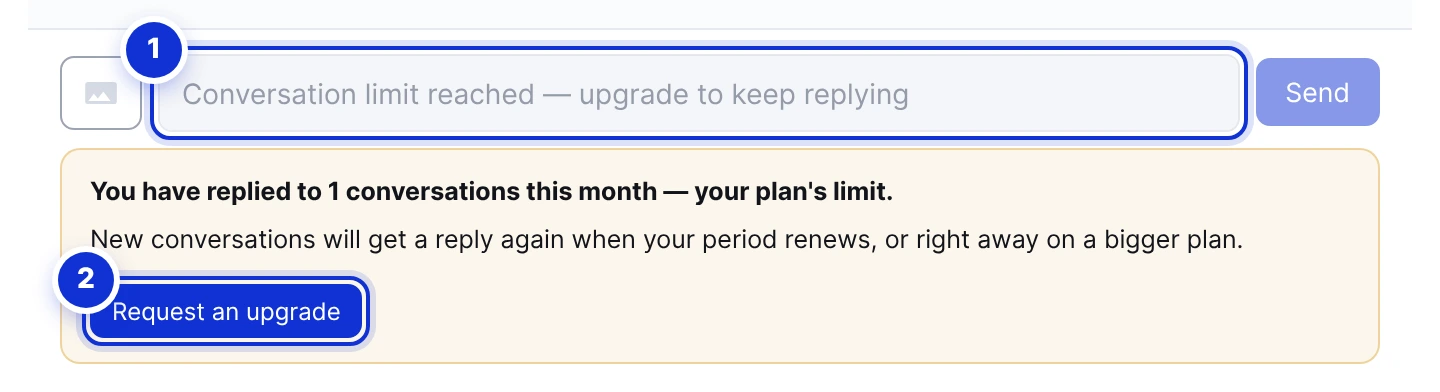
- 1The reply box is locked for new conversations.
- 2Request an upgrade — your account manager contacts you.
Some plans include a number of conversations per month. A conversation is counted once per billing period, the first time it is answered — whether the assistant answered it or a person did. Receiving is never counted, and a customer who writes back twelve times is still one conversation.
- A thread already answered this period stays open even after the allowance is used up.
- A *new* conversation, once the allowance is spent, gets no automatic reply and its box is locked with the message above. Customers’ messages still arrive and are kept.
- The counter resets when your period renews; a bigger plan raises it immediately. The current count is on Overview and My Subscription.
#The AI replies allowance
Every answer the assistant sends counts as one reply against your plan. At 80% the owner receives a warning email; at 100% the assistant stops answering, an email and a browser notification say so, and a red banner appears on Overview. Replies you or your team type do not use this allowance.
Campaign messages have their own monthly allowance — see Sending a campaign.
#Meta’s free service messages
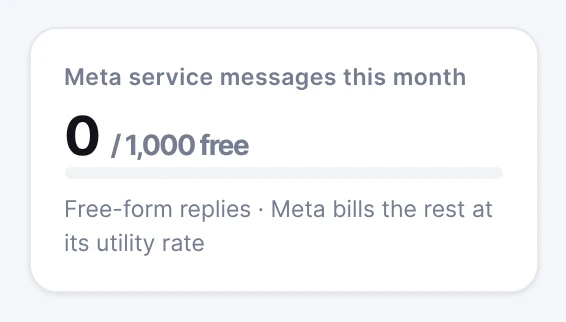
Since 1 October 2026 Meta counts every free-form message a business sends on WhatsApp inside the 24-hour window — an answer from the assistant, a reply your team types, a photo sent from the dashboard — as a *service message*. Each business number gets 1,000 of them free every calendar month; from the 1,001st Meta charges its utility rate for your country (in Egypt about $0.0036 per message plus VAT) to your Meta account directly. ExceliaBOT adds nothing to that price.
Nothing stops when the allowance is used up: the assistant and your team keep replying as before, and only the messages beyond the thousand are billed by Meta. The card on Overview shows the running count, turns amber at 90%, and the owner receives one email that month at that point.
- Counted: free-form replies sent from the platform on WhatsApp, whoever wrote them.
- Not counted: campaign and follow-up templates (they have their own Meta price), replies you send from the WhatsApp app on your phone, messages inside the 72-hour free window of an ad conversation, and messages Meta could not deliver.
- The month is the calendar month; the counter starts again on the 1st and unused messages do not carry over.
Meta reports its own verdict on every message; the platform keeps it beside its count so the two can be compared if a Meta invoice ever looks off.
Does pausing the AI pause the 24-hour clock?
I sent a message and it says “not delivered”.
Does a campaign template reopen the window?
Do Messenger and Instagram replies count as service messages?
Write to us and a real person answers — usually the same working day. [email protected]
Or message your account manager from the My Manager page in the dashboard.